
Automater Lite
Sidekick to all your AIYour AI sessions,CLI and desktop apps.
Claude Code, Codex, Cursor, Gemini CLI and 37 other tools each keep their own history, in their own folder, in their own format. Automater unlocks:
- One searchable library of every session, kept on your own disk.
- A flag the moment an agent is waiting on you for an answer or an approval.
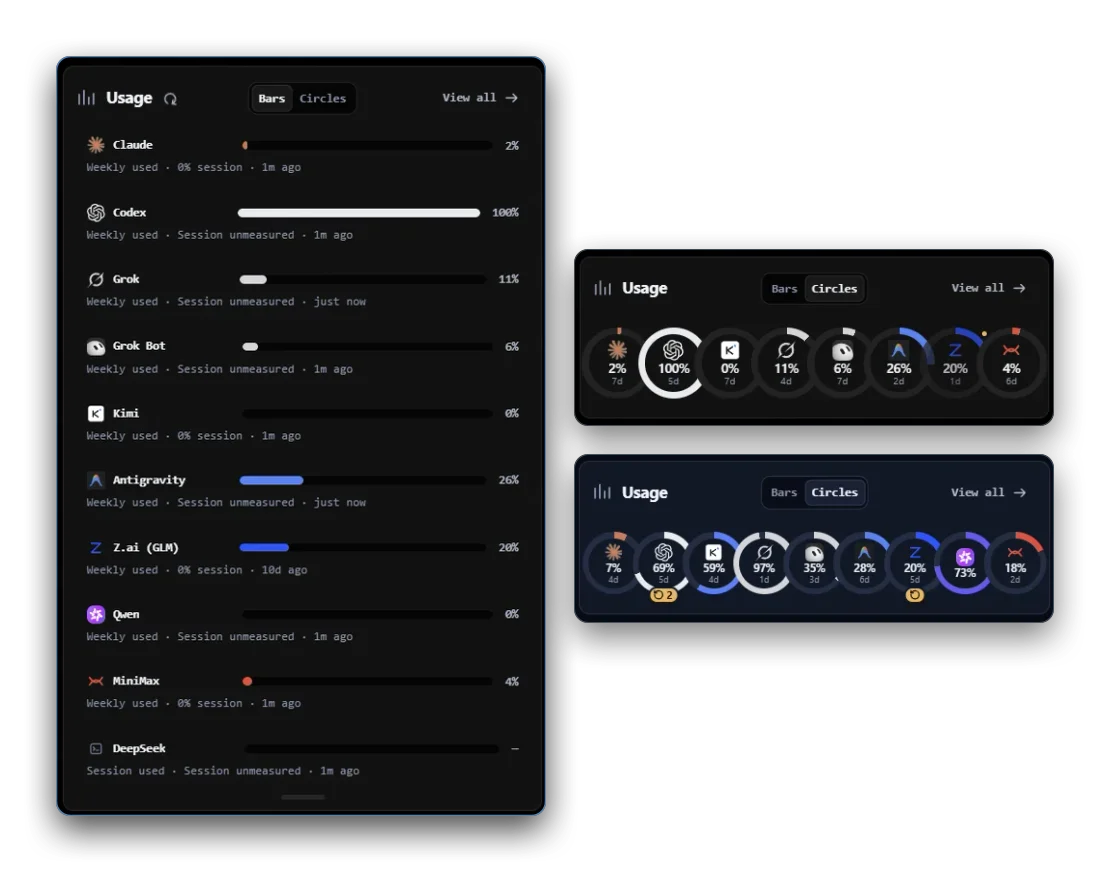
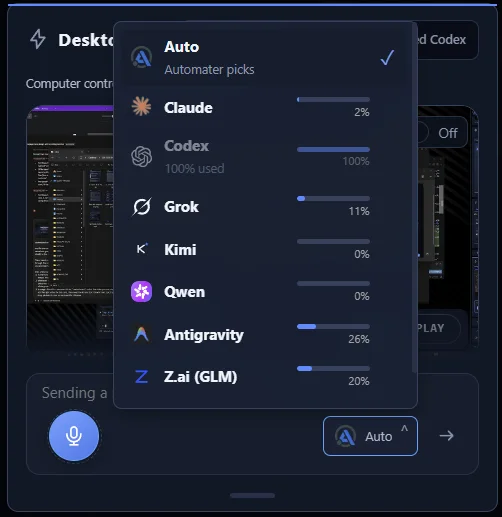
- One usage meter across 9 providers, so you see what is left before it runs out.
Keep your AIs organized and under your control.
Automater Lite pulls every AI CLI & Desktop session on your machine into one searchable local library — and keeps an eye on the whole fleet from your tray.
The problem
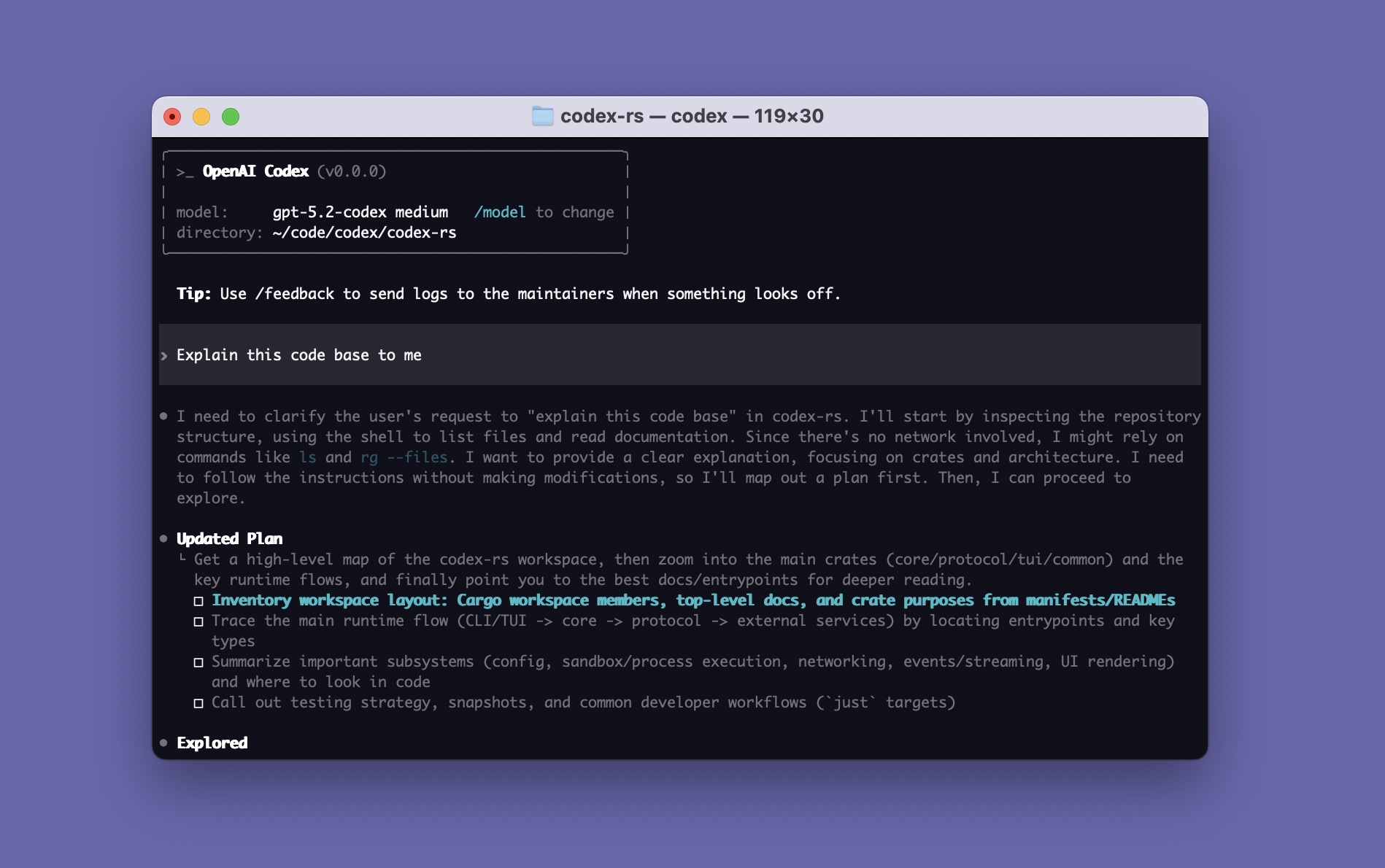
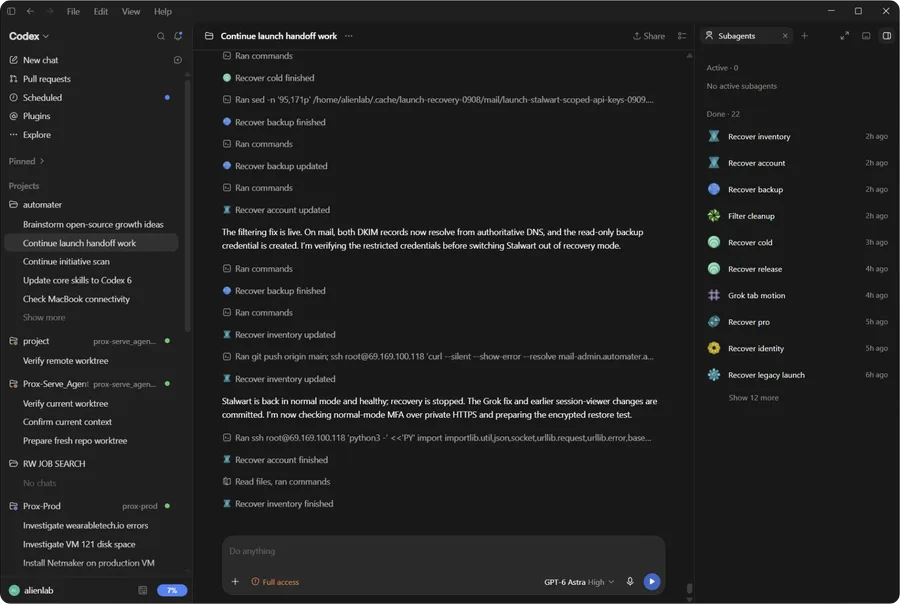
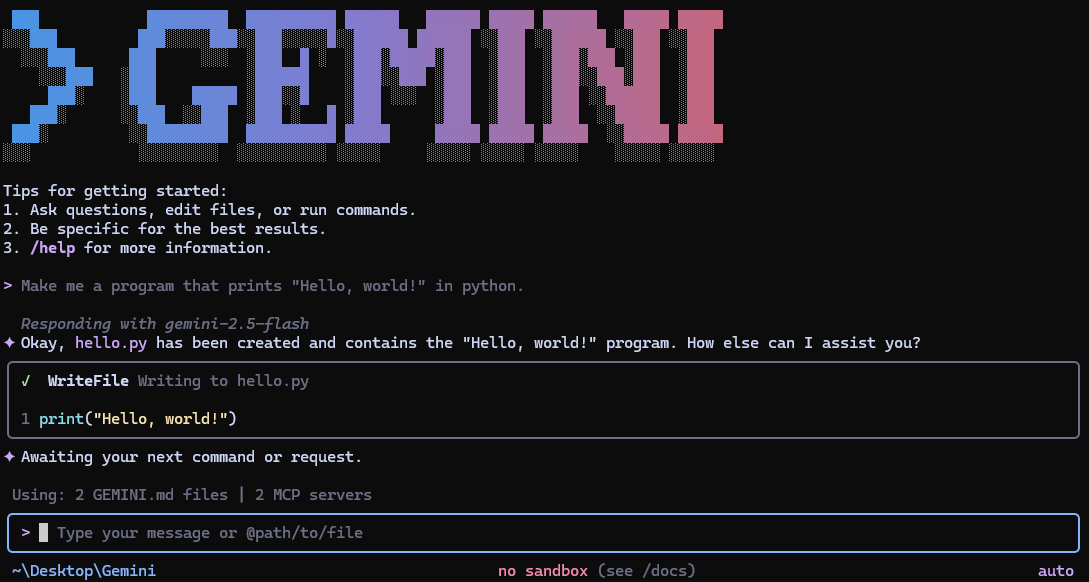
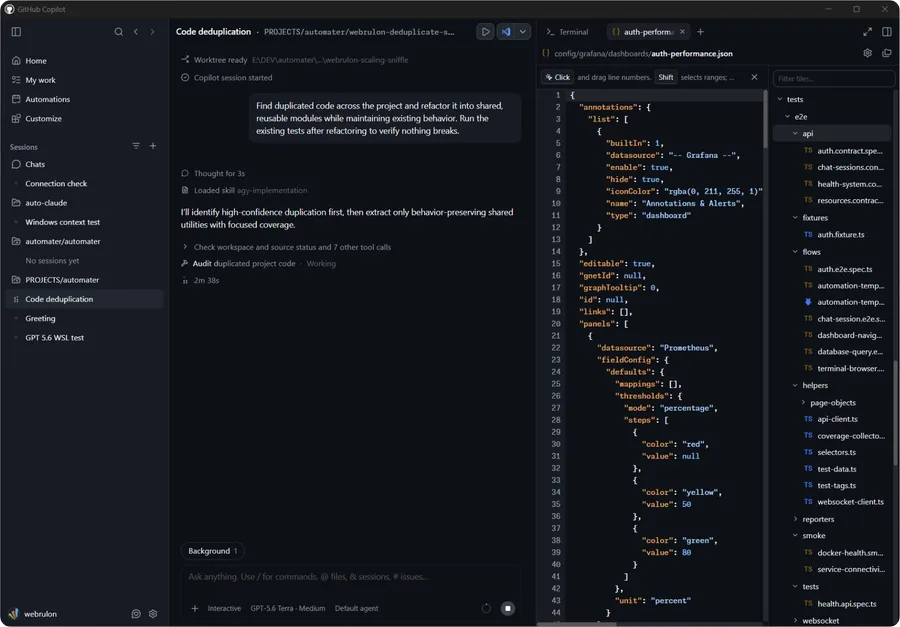
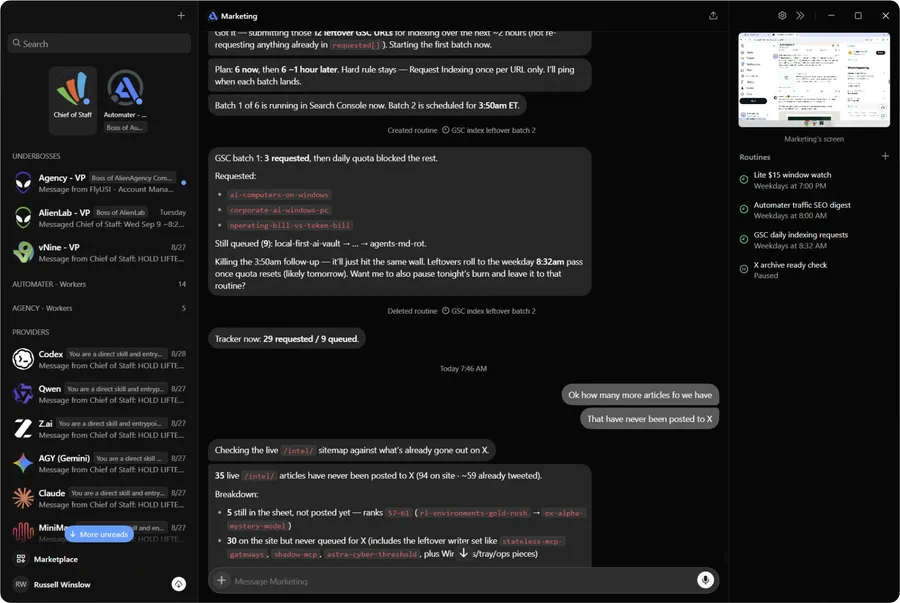
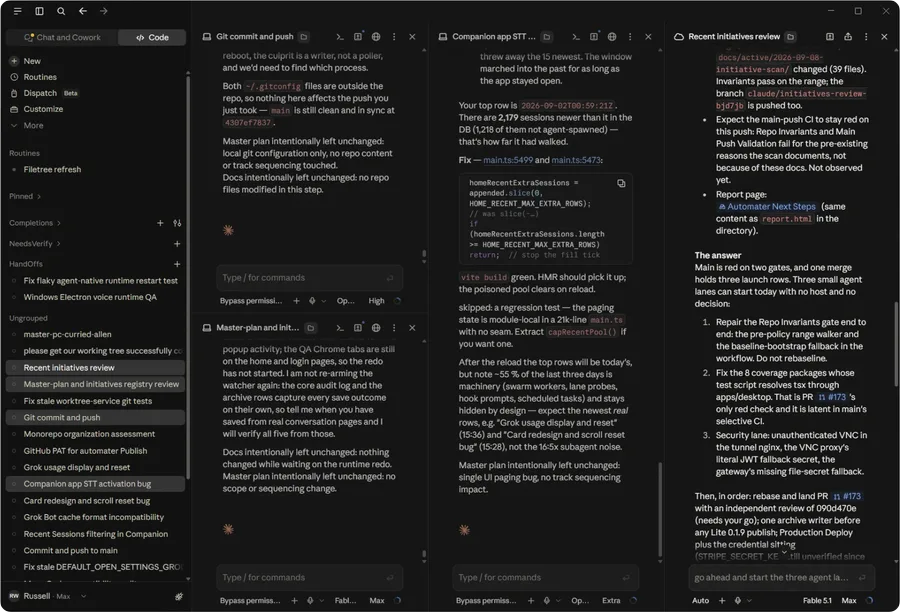
You run five assistants a day. Each one keeps its own diary — in its own format, in its own corner of your disk. No unified search across harnesses.
Automater Lite keeps the sessions, flags the ones waiting on you, and counts what they cost.
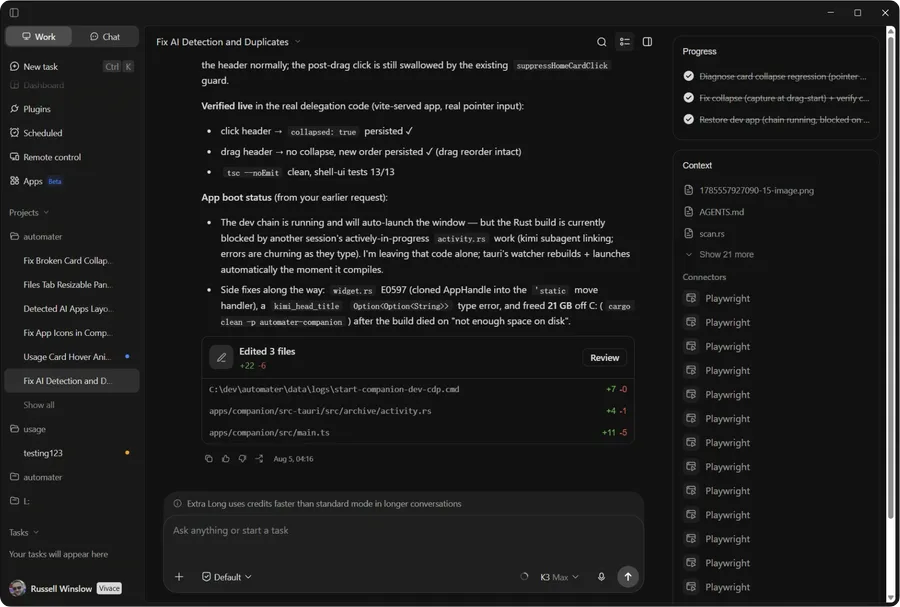
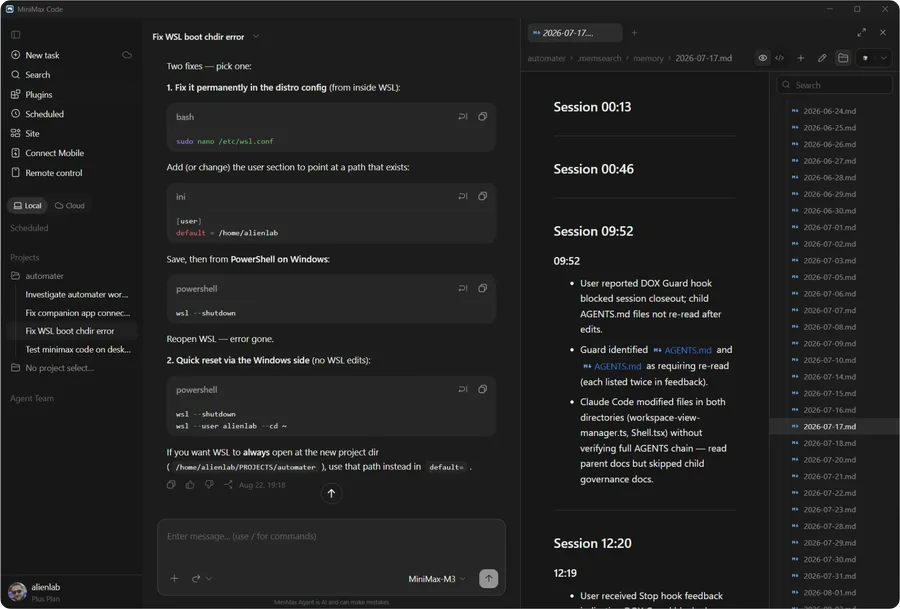
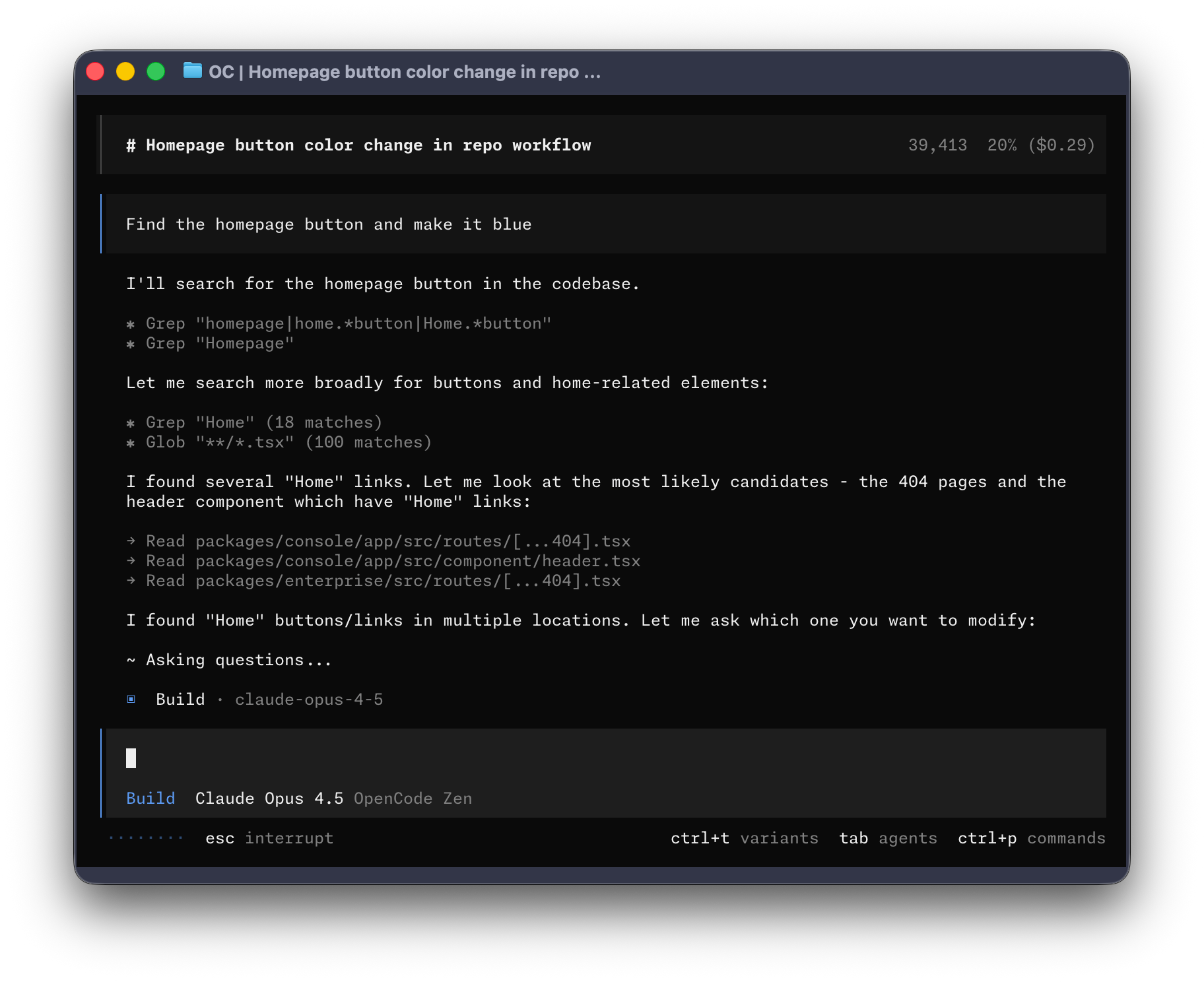
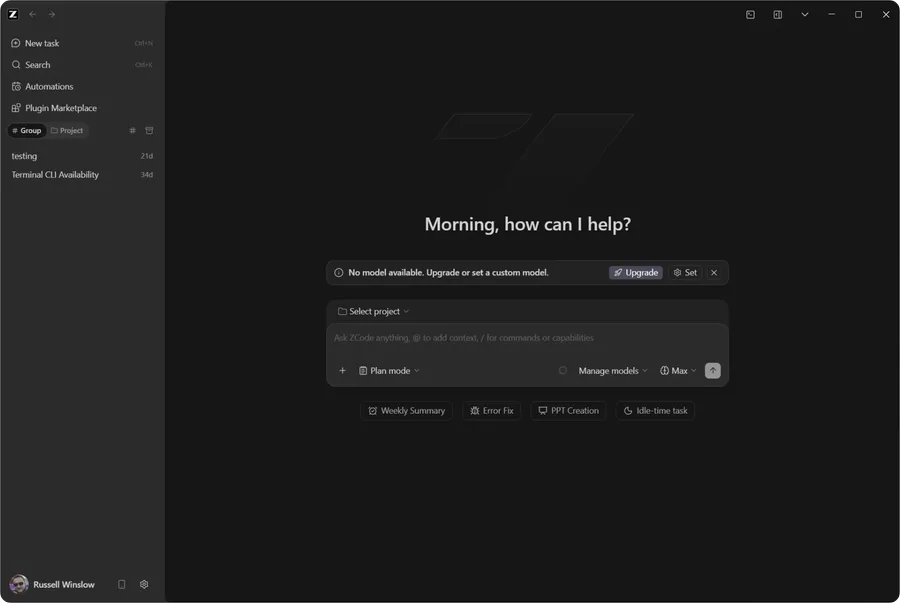
How it works
Install it.It finds your sessions.
- Step1
Install it
Run the Automater Lite App on your computer. No account and no setup wizard. It takes about a minute.
- Step2
It finds the sessions your tools already save
Every AI CLI and desktop app writes its transcripts somewhere on your disk. Lite knows where 41 of them write, in 45 formats, and indexes those files locally. Nothing is uploaded.
- Step3
One panel. Four ways to work.
Click the tray icon for the panel: search sessions, reopen one in its own CLI, see which agents are running or waiting, and check usage. Pin it, park it at the screen edge, or use it as an ordinary window.
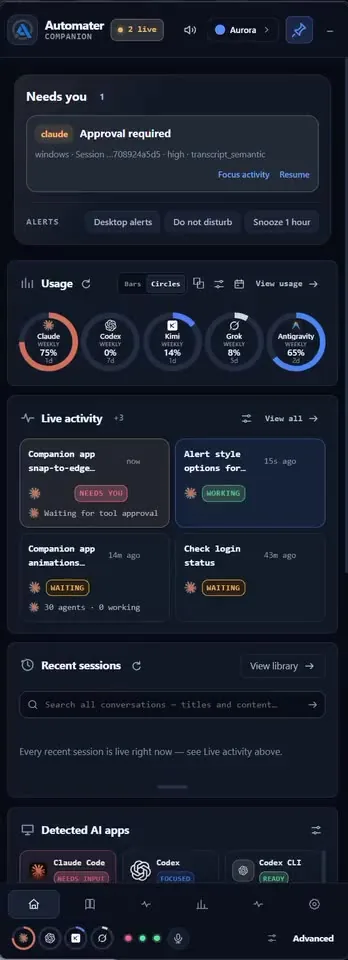
Free in Lite · 7 cards
The panel is the app.The cards are the features.
Every card below ships with Lite, free forever — no account, no trial clock. They’re in your tray the moment it installs.
Every free and PRO card, in one place
Scroll to flip through the deck · the strip on the right jumps to any card
What it does
What Lite does for you.
Your sessions, your agents and your usage, in one tray that’s always a click away.
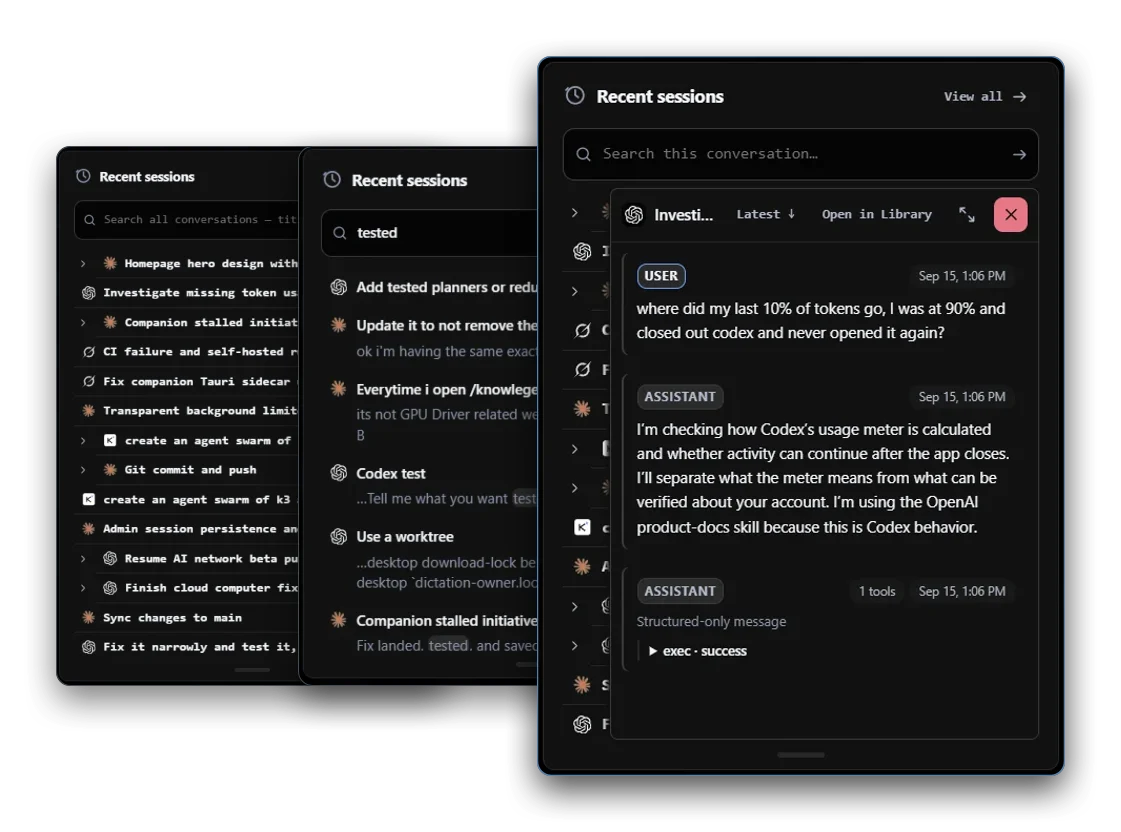
Session library
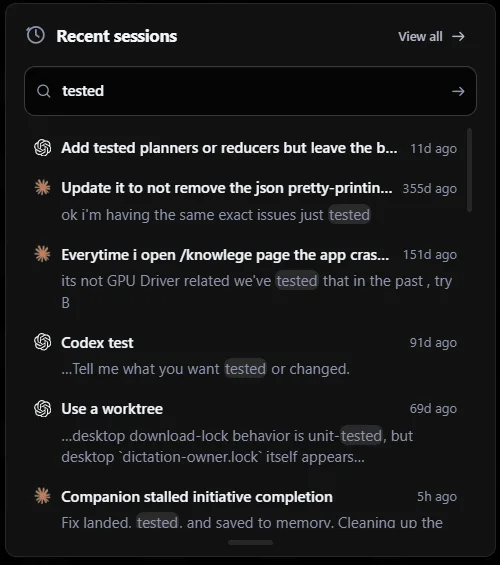
Find and resume any past AI session, across every CLI, from one search.
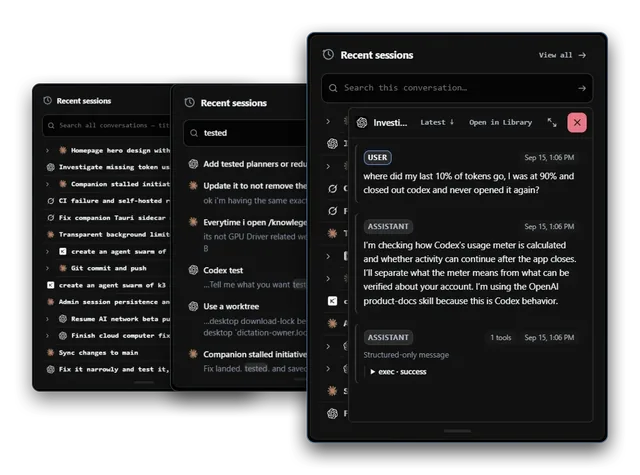
Recent sessions reads the transcript files your CLIs already write and copies them into one local library you can search across vendors, then reopens a session in its own CLI where that CLI supports resume. 45 session formats today; full-text search hits all of them at once.
Live activity
Know the instant an agent stops and is waiting on your answer.
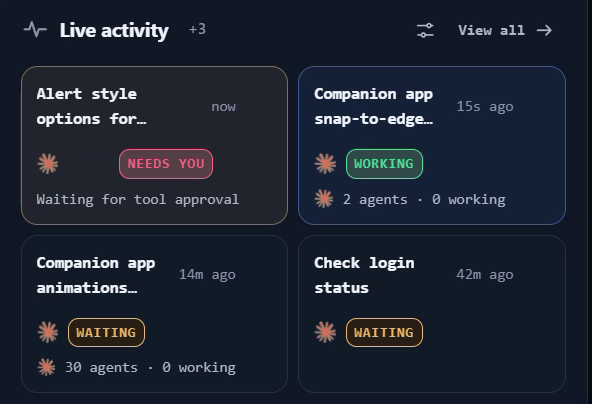
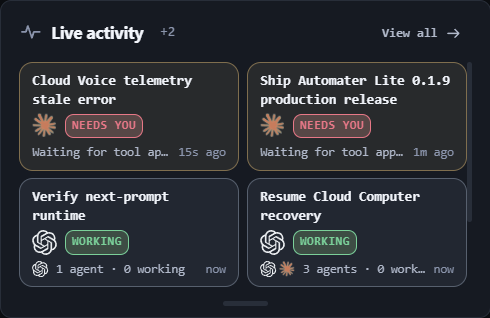
Live activity is the running picture of every agent on this machine, and Needs You is the amber flag it raises the moment one stops and waits on you — a question, a permission prompt, an approval. Billing can never take it away: Needs You and approval visibility are never paywalled.
Usage
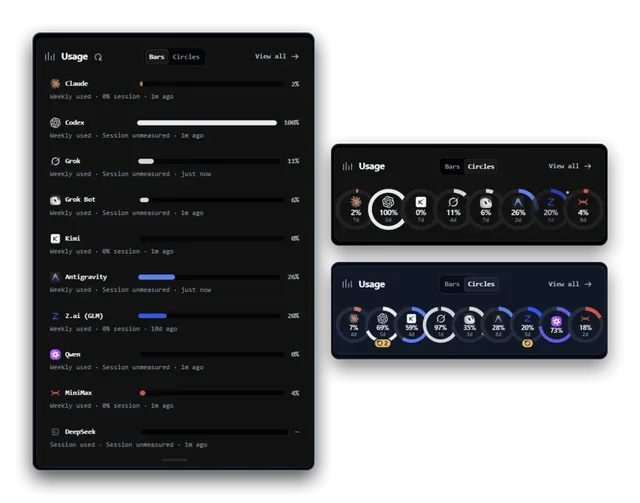
See how much of every AI plan you’ve used before you run out.
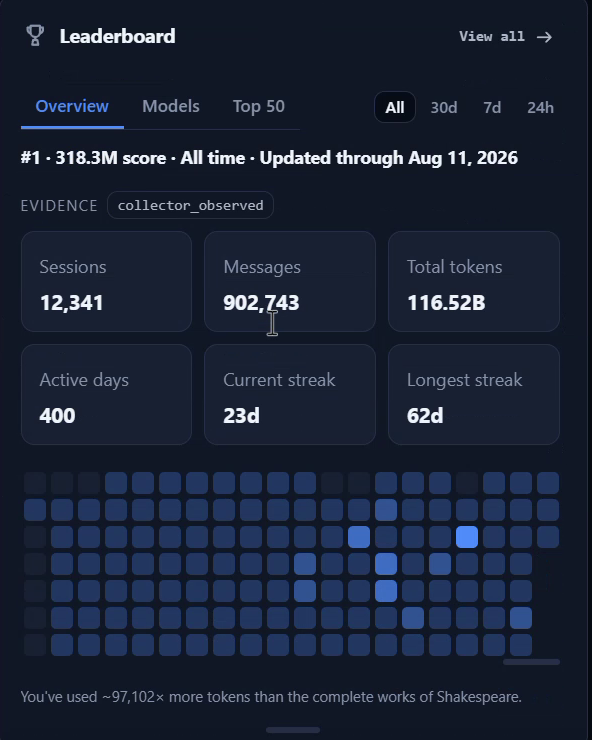
Usage counts tokens locally as your agents work and draws quota headroom for nine providers on one screen, so you see a runaway before it eats the week. A probe that cannot answer reads unknown, never zero. Publishing to the public leaderboard is free and opt-in.
Voice
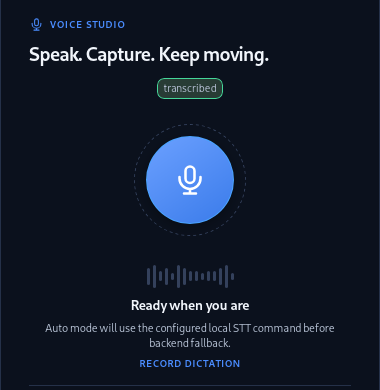
Press one hotkey, talk, and it’s typed wherever your cursor is.
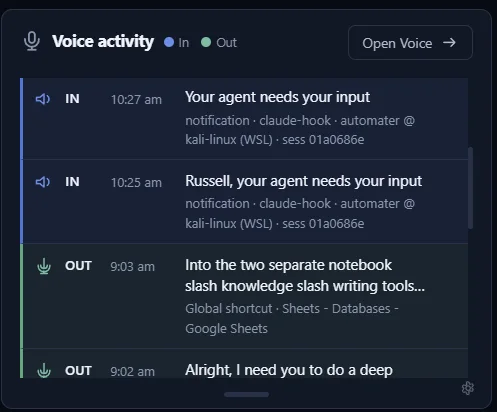
Press Ctrl Alt Space and speak — Parakeet transcribes on your own hardware and the text lands in whatever window has focus. Kokoro reads agent status back in a local voice. The card also carries the announce ledger: what was spoken, and when.
Also in Lite
Usage
See how much of every AI plan you’ve used before you run out.
Usage counts tokens locally as your agents work and draws quota headroom for nine providers on one screen, so you see a runaway before it eats the week. A probe that cannot answer reads unknown, never zero. Publishing to the public leaderboard is free and opt-in.
- Nine providers probed for quota headroom.
- Reads unknown, never zero, when a probe fails.
- Leaderboard publishing is free and opt-in.
Ships with Lite. The Leaderboard card, public profiles and badges stay free.
Live activity
Know the instant an agent stops and is waiting on your answer.
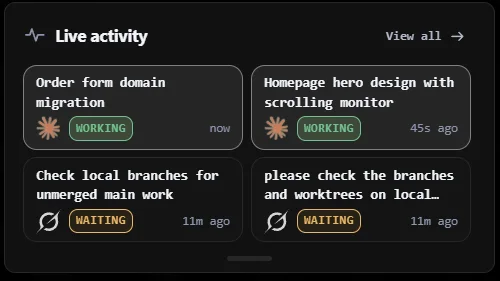
Live activity is the running picture of every agent on this machine, and Needs You is the amber flag it raises the moment one stops and waits on you — a question, a permission prompt, an approval. Billing can never take it away: Needs You and approval visibility are never paywalled.
- Amber the moment an agent blocks on you.
- Who is working and who is waiting, live.
- Approval visibility never goes behind the paywall.
Ships with Lite and is never paywalled.
Session library
Find and resume any past AI session, across every CLI, from one search.
Recent sessions reads the transcript files your CLIs already write and copies them into one local library you can search across vendors, then reopens a session in its own CLI where that CLI supports resume. 45 session formats today; full-text search hits all of them at once.
- 45 session formats, from Claude Code to Aider.
- Full-text search across every vendor at once.
- One-click resume on the 11 CLIs that support it.
Ships with Lite. PRO adds inline replies to a running session.
Voice
Press one hotkey, talk, and it’s typed wherever your cursor is.
Press Ctrl Alt Space and speak — Parakeet transcribes on your own hardware and the text lands in whatever window has focus. Kokoro reads agent status back in a local voice. The card also carries the announce ledger: what was spoken, and when.
- Ctrl Alt Space, your global hotkey.
- Parakeet speech-to-text runs on your own hardware.
- Kokoro reads agent status back in a local voice.
Ships with Lite. PRO adds cloud voice when the machine is busy.
Detected AI apps
See every AI app on your machine and which ones are running right now.
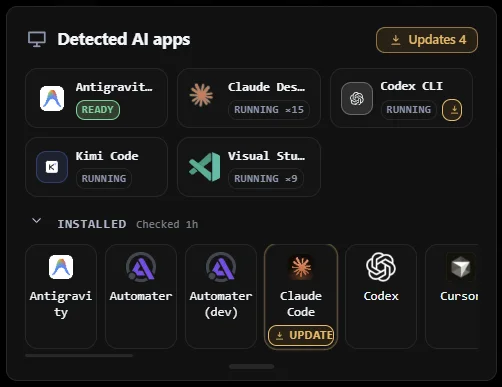
Detected AI apps scans this machine for the AI tools you have installed and shows which are running right now, with live presence and status. It closes the Home deck and ships collapsed. PRO adds the 0-100 resource hog score on top of the same list.
- Live presence and status for every detected AI app.
- Installed versus running, at a glance.
- Closes the Home deck; ships collapsed until you open it.
Ships with Lite. PRO adds live CPU, memory and I/O hog scores.
Settings
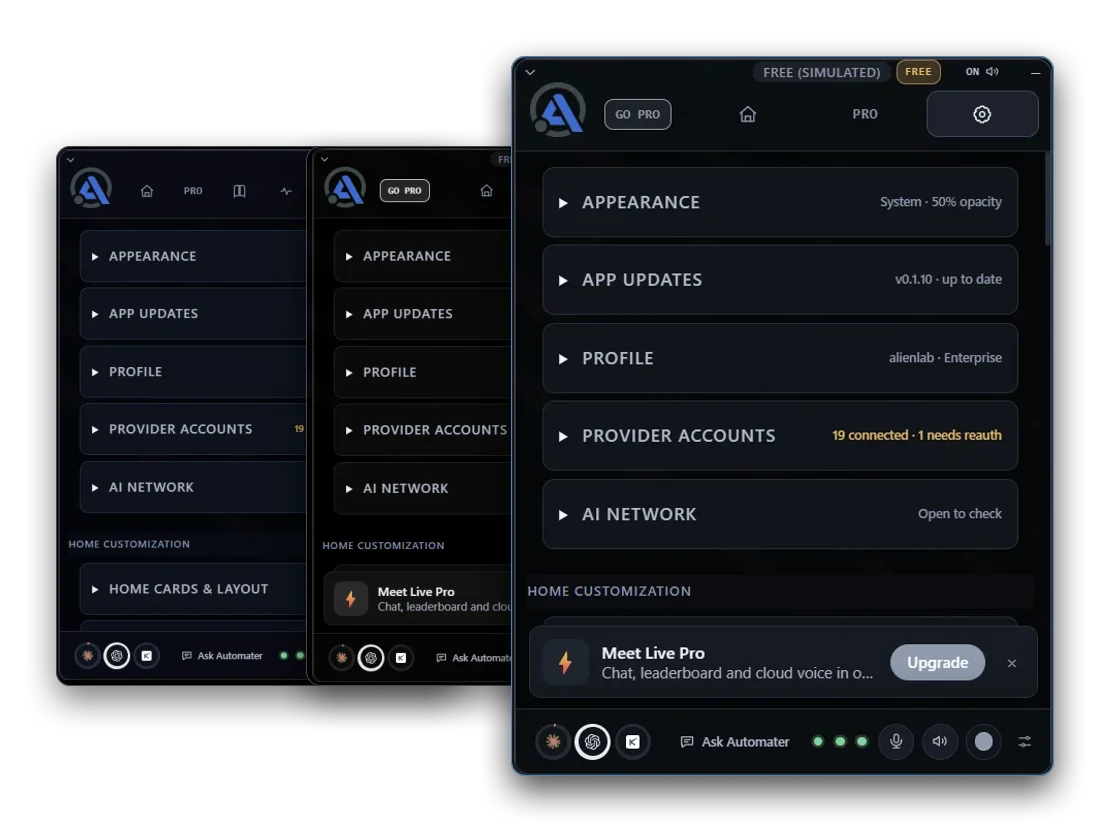
Pick a theme, arrange your cards, and make the tray yours.
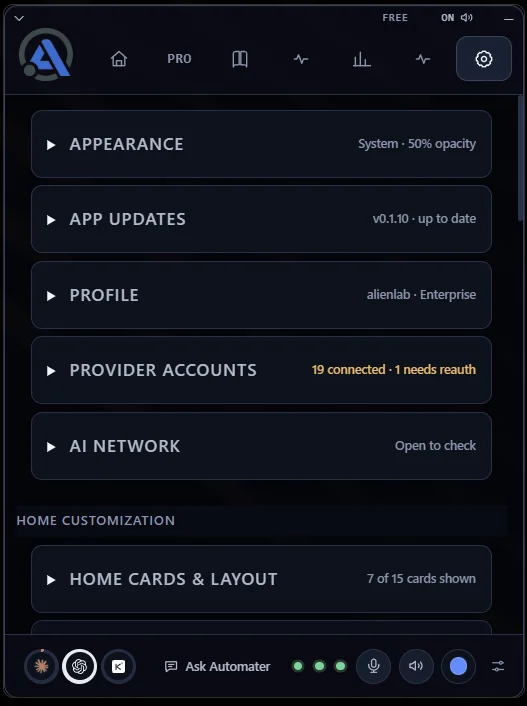
Settings is where Lite becomes yours: pick the Blue, Carbon or Steel theme and the panel’s opacity, choose which cards sit in the Home deck and in what order, and keep your provider accounts and app updates in one place. Every choice sticks between launches.
- Three themes — Blue, Carbon and Steel — plus the panel’s opacity.
- Home cards & layout: show, hide and reorder the deck.
- Provider accounts and app updates in the same place.
Ships with Lite. No account, no trial clock.
Leaderboard
Your rank, public profile and shareable badges, free in Lite.
Leaderboard brings your usage rank, activity insights and profile into Lite for free. Join with a verified Automater account; GitHub linking is optional. Publish under your public username or an alias you choose, with separate controls for your profile, badges, exact totals and provider breakdown. Share a badge in your README. PRO adds a gold accent and PRO label; scoring and features are the same for everyone.
- Compare your usage rank and explore the top builders.
- View activity insights and manage your leaderboard profile.
- Join free with a verified Automater account; GitHub linking is optional.
- Choose a public username or alias and publish only what you allow.
The Leaderboard card, public profiles, badges and scoring stay free.
What Lite reads
Works with the tools you already use.
Lite reads each tool’s own transcript files and folds them into one library on your machine. No plugins, no setup — it finds them.
45 session formats, from these 41 AI apps and CLIs.
Claude Code
Codex
Gemini
Antigravity
Grok

Grok Bot
Cursor

VS Code
Muse Code
Claude Cowork
Kimi
Qwen Code
Z.ai GLM
Copilot
Pi
OpenCode
Windsurf
Warp

Aider
MiniMax
DeepSeek

Kiro

Roo Code

Kilo Code

OpenHands

Amp

goose
Trae
Mistral Vibe

gptme

iFlow

Poolside

Forge

Shelley
Posit Assistant
MiMoCode
QwenPaw
Codebuff
Command Code
IcodeMate
Omnigent
Automater PROPRO
PRO addsthe parts that act.
Lite reads and shows. PRO lets you do things from the same panel: chat with the engine you choose, start and steer agent sessions, let an agent drive this computer with your permission, and see every machine you run.
Grok Bots
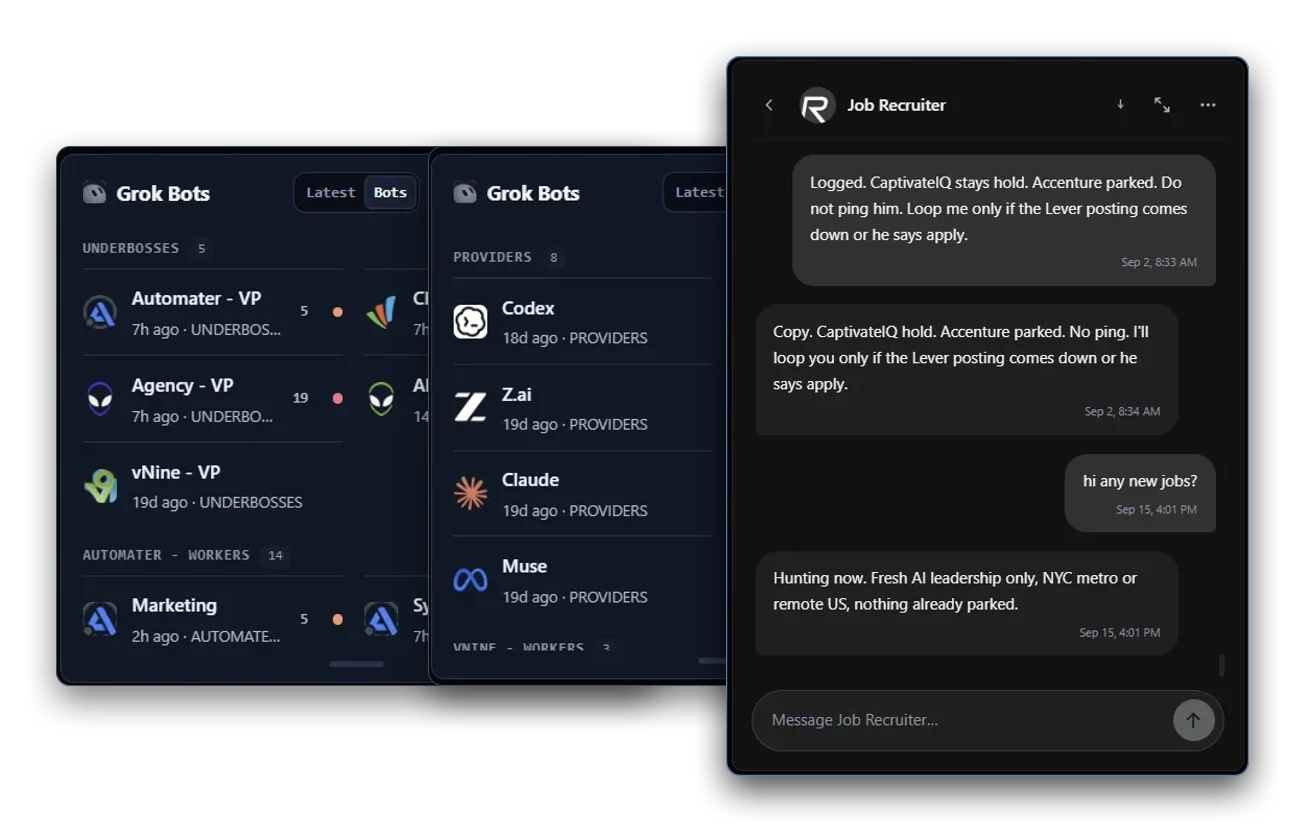
An enhanced Grok Bots card with roster and Latest views, included in PRO.
FilesBeta
Browse your repo’s files and commit history without leaving the tray.
TerminalBeta
A full terminal, local or WSL, one click away in the tray.
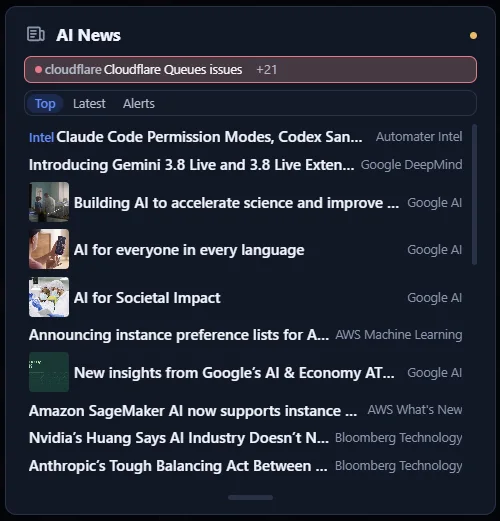
AI News
The AI news that matters, plus outage and release alerts for the tools you use.
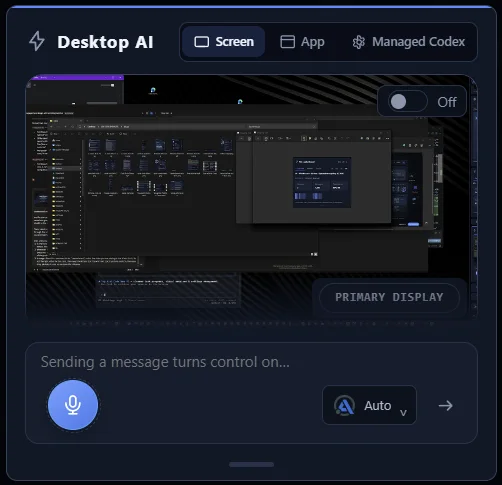
Ask Automater
Chat with any AI you choose — and let it see your screen.
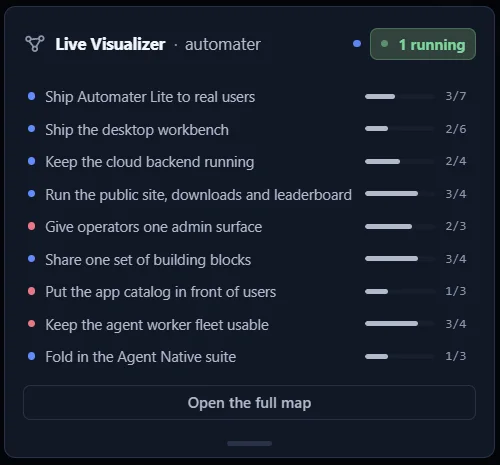
Live VisualizerBeta
Watch your agents work across a live map of your codebase.
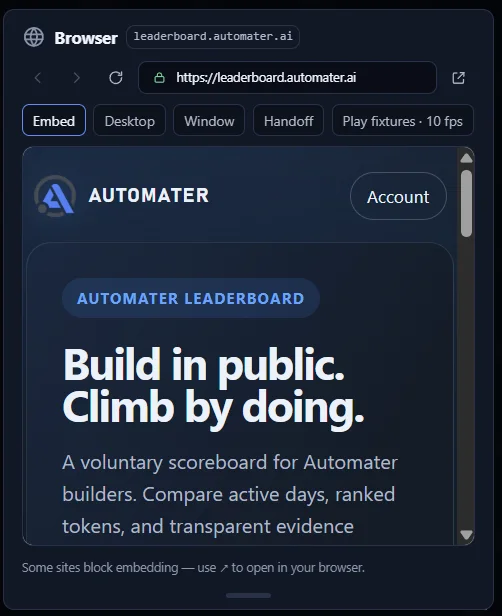
BrowserBeta
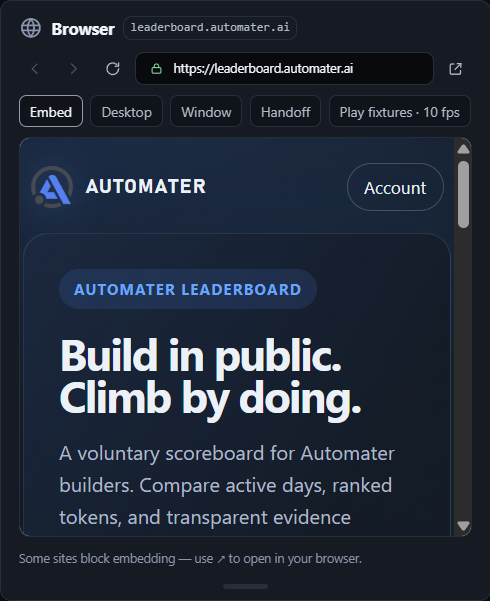
Open web pages and docs inside the tray, right beside your agents.
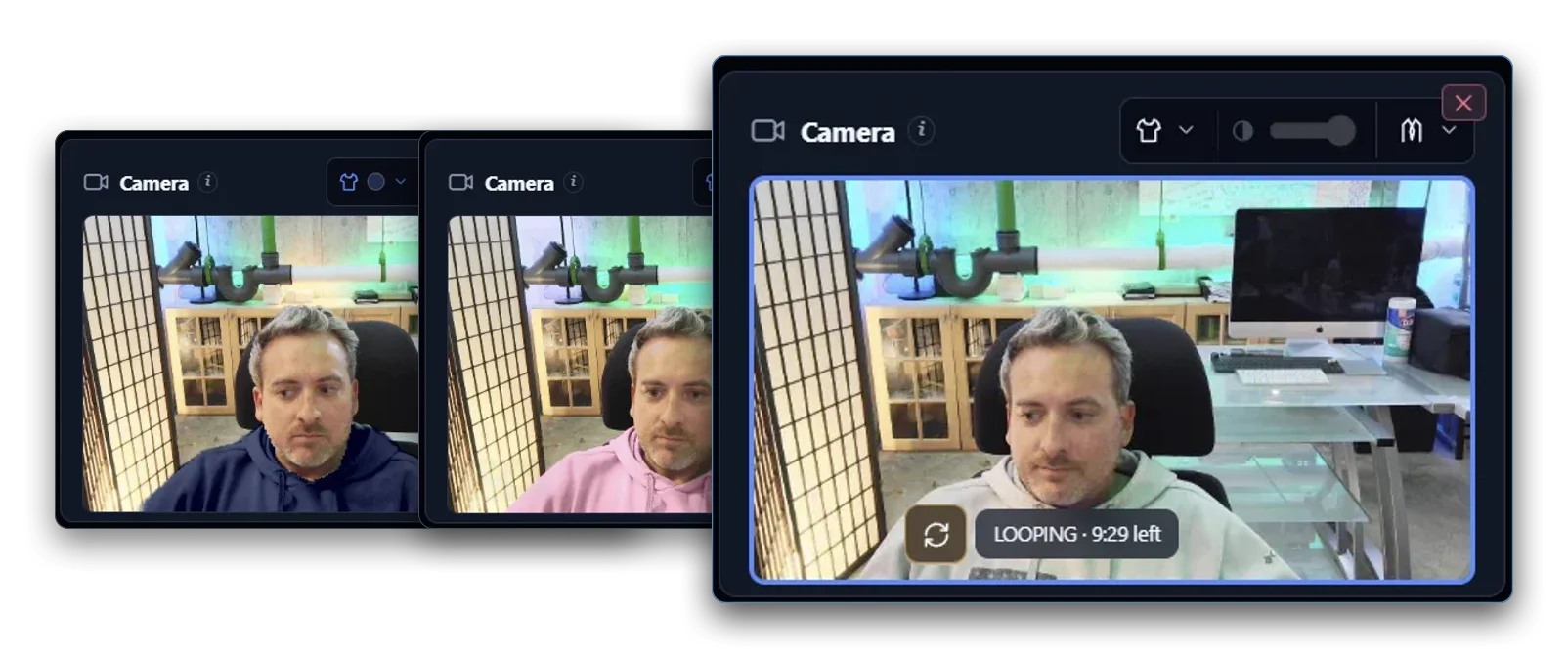
Camera FXBeta
A virtual camera for your meeting app, with outfit and avatar effects.
Grok BotsPRO
An enhanced Grok Bots card with roster and Latest views, included in PRO.
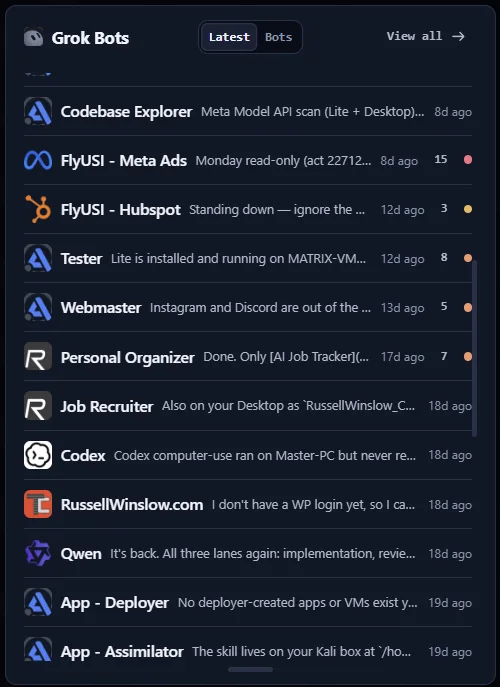
PRO adds the enhanced Grok Bots card: browse your Bot roster, see their latest indexed replies and open conversations from one card in Home, the PRO tab, Mini or a pop-out. Grok Bot conversations remain visible in Home Recent and the searchable local session library for Free users. Needs You, approvals, Stop, Cancel and Disable stay free.
- Browse your Bots and their latest replies in the enhanced Grok Bots card.
- Open indexed Bot conversations from the roster or Latest view.
Grok Bot conversations remain visible in Home Recent and the session library.
FilesPROBeta
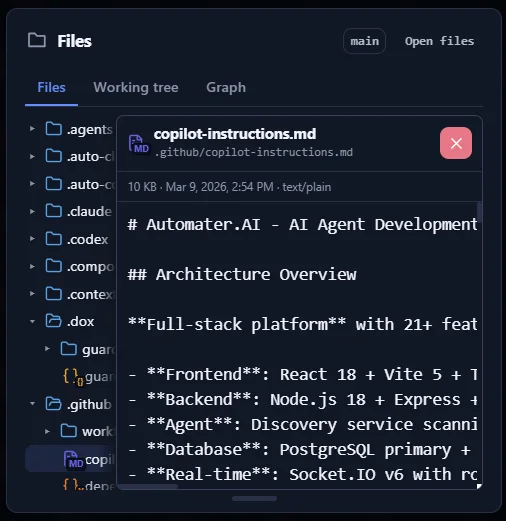
Browse your repo’s files and commit history without leaving the tray.
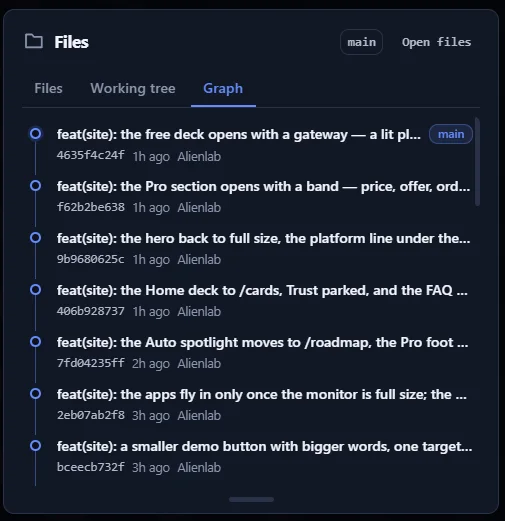
Files docks a repo and file browser inside Lite: the working tree, the commit graph and the file you need, without alt-tabbing to an editor. Part of the built-in tools set, so it is paid and still experimental.
- Browse the repo tree and working tree from the panel.
- Read the commit graph without leaving Lite.
The session library, meters, Activity and Needs You.
TerminalPROBeta
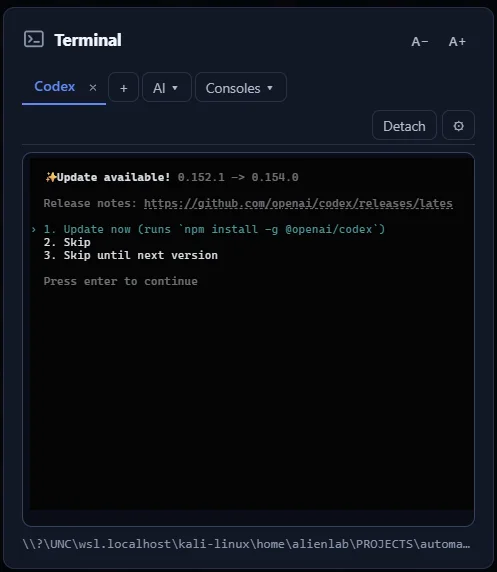
A full terminal, local or WSL, one click away in the tray.
Terminal runs local and WSL shells straight from the Home deck. It ships hidden — enable it once from the customize panel and your choice sticks. Part of the built-in tools set, so it is paid and still experimental.
- Run the built-in terminal against local and WSL shells.
- Off on first run; enable it from the customize panel.
Your own terminal, the session library and the meters.
AI NewsPRO
The AI news that matters, plus outage and release alerts for the tools you use.
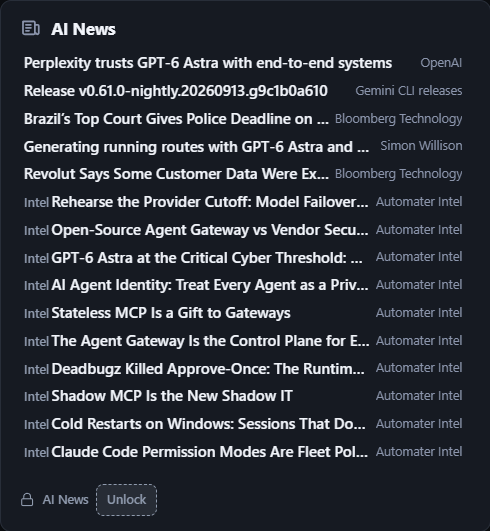
AI News & alerts ranks headlines from labs, research and industry by importance every few minutes, and adds incident and release alerts for the providers and CLIs detected on this machine. Automater Intel field guides are pinned beside the news that matters to agent builders.
- Curated AI headlines from labs, research, and industry, ranked by importance every few minutes.
- Incident and release alerts for the providers and CLIs detected on this machine.
- Automater Intel field guides pinned beside the news that matters to agent builders.
Live activity, usage meters, and the session library stay free.
Ask AutomaterPRO
Chat with any AI you choose — and let it see your screen.
Ask Automater is the chat card on the Lite Home panel. Pick the engine you want from the card, then talk to it with the screen context and voice input already on the machine, without leaving the tray. Local dictation, voice playback and the session library keep working without PRO.
- Chat with your chosen AI engine from the Automater Home card.
- Use screen context and voice input in your conversations.
Local dictation, voice playback and the session library.
Live VisualizerPROBeta
Watch your agents work across a live map of your codebase.
Live Visualizer draws a repository as a live component map, with dependencies, progress and blocked work, and shows agents moving across it in real time with the files they are touching. Zoom from every repo down to the individual files a session is editing. Live activity, Needs You, approvals and the session library stay free without the map.
- See a repo as a live component map: dependencies, progress, and blocked work.
- Watch agents move across the map in real time, with the files they are touching.
- Zoom from every repo down to the individual files a session is editing.
Live activity, Needs You, approvals and the session library.
BrowserPROBeta
Open web pages and docs inside the tray, right beside your agents.
Browser puts a web view and a markdown viewer in the tray, so docs, dashboards and a rendered README open beside the agents instead of in another window. Part of the built-in tools set, so it is paid and still experimental.
- Open pages in the panel instead of another window.
- Render markdown files in place.
The session library, meters, Activity and Needs You.
Camera FXPROBeta
A virtual camera for your meeting app, with outfit and avatar effects.
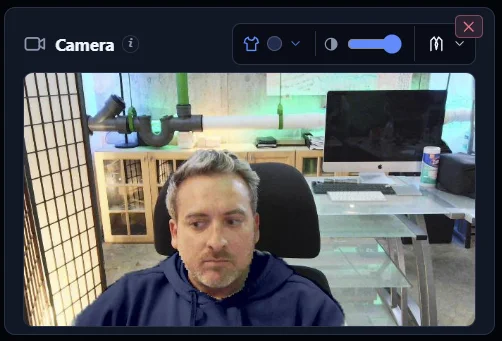
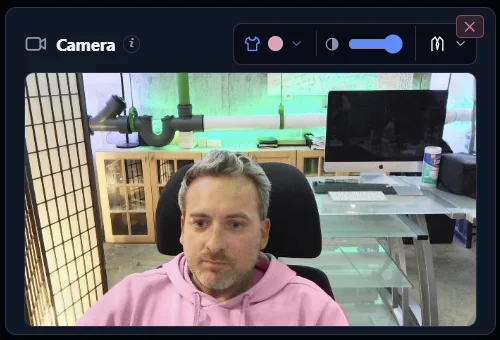
Camera FX sends an effects version of your webcam to your meeting app as Automater Camera on Windows 11. Put a blazer over what you're wearing, change your shirt color, or go cartoon. Everything runs on this PC; your real webcam, local dictation and the session library stay free.
- Send an effects version of your webcam to your meeting app as Automater Camera (Windows 11).
- Switch effects on or off with a hotkey; stop the camera and your meeting app shows a standby image.
- Loop: play a few seconds of recorded video on repeat. Your meeting sees the recording, not live video.
- Change your shirt color, or draw a different shirt over what you're wearing.
Your real webcam, local dictation and the session library.
Pricing
Start Lite, Go PRO,or custom built for your team.
Automater Lite
$0/forever
For anyone running AI CLIs.
DownloadNo account, no card, no time limit.Lite Full (compatibility installer)
- 45 formats in one searchable library, resume where supported
- Usage and quota meters across 9 providers
- Leaderboard card, public profiles and README badges, free and opt-in
- Needs You flags and approval visibility, always free
- Local dictation into any window, spoken status back
- Home cards you order, collapse, pin and detach
- Signed installer, offline install, verified updates
Automater PRO Most popular
See pricing
For the developer who steps in. Everything in Lite, plus:
Operate
- Ask AutomaterChat in the tray with the engine you pick, using screen context and voice.
- Grok BotsAn enhanced Grok Bots card with roster and Latest views, included in PRO.
- Managed SessionsStart, steer, interrupt and stop agent sessions from the panel.
- Advanced messagingReply inline to a session that is already running, without leaving the library.
- Computer ControlLet agents drive the mouse, keyboard and apps, with your permission.
- Camera FXBetaA virtual camera for your meeting app: put on a blazer, change your shirt color, or go cartoon.
See every machine
- FleetBetaSee every machine's agents, status and KPIs in one view.
- Integration HealthInstall integrations, run guided repair and read the full diagnostics.
- Advanced AttentionRicher evidence behind each Needs You flag, plus latency diagnostics and history.
- Resource monitorSee each running AI app's live CPU, memory and I/O hog score, 0 to 100 over the last minute.
- Live VisualizerWatch your agents move across a live map of the repo, down to the files being edited.
Tools in the tray
- Built-in toolsBetaTerminal, repo and file browser, web browser and markdown viewer, inside Lite.
- Pop-out mini-appsPop a Home card out into its own standalone mini-app that stays on screen while the tray panel is hidden.
- AI News & alertsRanked AI news plus incident and release alerts for the stack you run.
- Cloud voiceRoute speech-to-text and text-to-speech through Automater Cloud when this machine is busy.
Enterprise
Custom
For teams rolling Automater out across machines.
Talk to usPriced to your seats and your terms.
- Everything in PRO, on every seat
- Volume licensing and one invoice
- Onboarding help for your team
- Priority support from the people who build it
- Security review and procurement paperwork
- A say in the roadmap for what your team needs
Prices in USD. Taxes and availability are confirmed at checkout.
FAQ
Questions people ask.
What does PRO add?
PRO adds the parts that act: chat and computer control from the tray, managed sessions and inline replies, Fleet and Integration Health, built-in tools and pop-out mini-apps, and metered cloud voice.
What happens to my library if I stop paying?
Your library is a local file. It stays on your disk, searchable, whether or not you pay. Needs You and approval visibility are never gated.
Where does my data live?
On your machine. Lite reads each tool’s own session files and keeps the normalized library locally. Nothing leaves your disk unless you opt in: publishing to the public leaderboard, or routing speech through PRO cloud voice. Vault redaction scrubs a secret across every stored transcript.
Which tools does it read?
45 session formats today, including Claude Code, Codex, Gemini, Grok, Kimi, Qwen, Z.ai, OpenCode, Cursor, VS Code, Copilot and Aider. Lite finds them where they already write, with nothing to configure. Eleven of those also support one-click resume back into their own CLI.
Which operating systems?
Windows x64, macOS on Apple silicon, and Linux x86_64 as an AppImage or a .deb. There is no Intel Mac build yet, and no arm64 build for Windows or Linux. The download page lists only the builds that are published right now.
How do updates work?
Every build ships as a signed installer, and update payloads are minisign-verified before they install. On Windows the signature is Authenticode and the WebView2 runtime is embedded, so the first install needs no network. You can switch auto-update off and stay on the build you have.
Why did you build this?

I run about ten assistants at once — Claude Code, Codex, Gemini, Grok, Kimi, Qwen and a few more — across one Windows machine and the WSL box inside it. That is a good problem to have, right up until you cannot see it.
The losses were always the same three: sessions buried in a different folder for every tool, an agent parked on a permission prompt for an hour, and no single meter.
So I built the tray app I wanted. It archives every session on your own disk, flags the moment an agent needs you, and stays free, because the archive belongs to the person who made it. PRO pays for the parts that act on it, and for the cloud. If it misses something you do every day, write to me.
“AI, stay away. Please go hide in my tray.”
Russell WinslowFounder, Automater · New York
Still have a question?
Ask it here. A person reads it and replies by email.
- hello@automater.ai
- Phone
- 212.951.0062
- Office
- 2248 Broadway, Suite 1271
New York, NY 10024
Replies Monday to Friday, 8AM to 8PM ET.
Download Automater Lite.
Never lose a session, miss a stalled agent, or run out of quota by surprise again.
From Automater Intel
Real-World Guides for humans who
run AI agents.


GPT-6 Interactive Answers Can Carry a Submit Button: Keep an Answer-Surface UI Register
ChatGPT's Intelligent UI puts forms and buttons inside answers. Classify every rendered control, gate the ones that act, log them, re-run when defaults flip.
Read the story

OpenAI Legacy User API Keys Shut Off Oct 22: A Key-Migration Drill for Agent Fleets
OpenAI legacy user API keys are reported to stop working Oct 22. Inventory every key your agents read, rotate, canary-prove and revoke by Oct 20, with dates.
Read the story

Personal Agent Protocol: Decide What Each Front Door Lets a Customer's Agent Do
Meta and Sierra announced the Personal Agent Protocol as a preview. Before v0.1 lands, register what each front door lets a customer's agent read and change.
Read the story

Verifiable Agent Consent: Keep a Delegated-Approval Receipt Ledger Before the First Dispute
Turn "the customer approved it" into evidence: the receipt ledger columns, what Decagon's PACT receipt carries and omits, and a timed drill for agent disputes.
Read the story

WebMCP registerTool: Register Three Tools Before You Redesign Your Site
Make your site agent-callable without a redesign: register one read-only and two gated WebMCP tools with annotations, a kill path and an origin trial test.
Read the story